Which export format should you pick?
The extraction is the hard part and it happens once. After that the deck is sitting in your browser, and every export is just a different way of writing the same slides to disk — no re-processing, no waiting, no second upload, because there was never a first one.
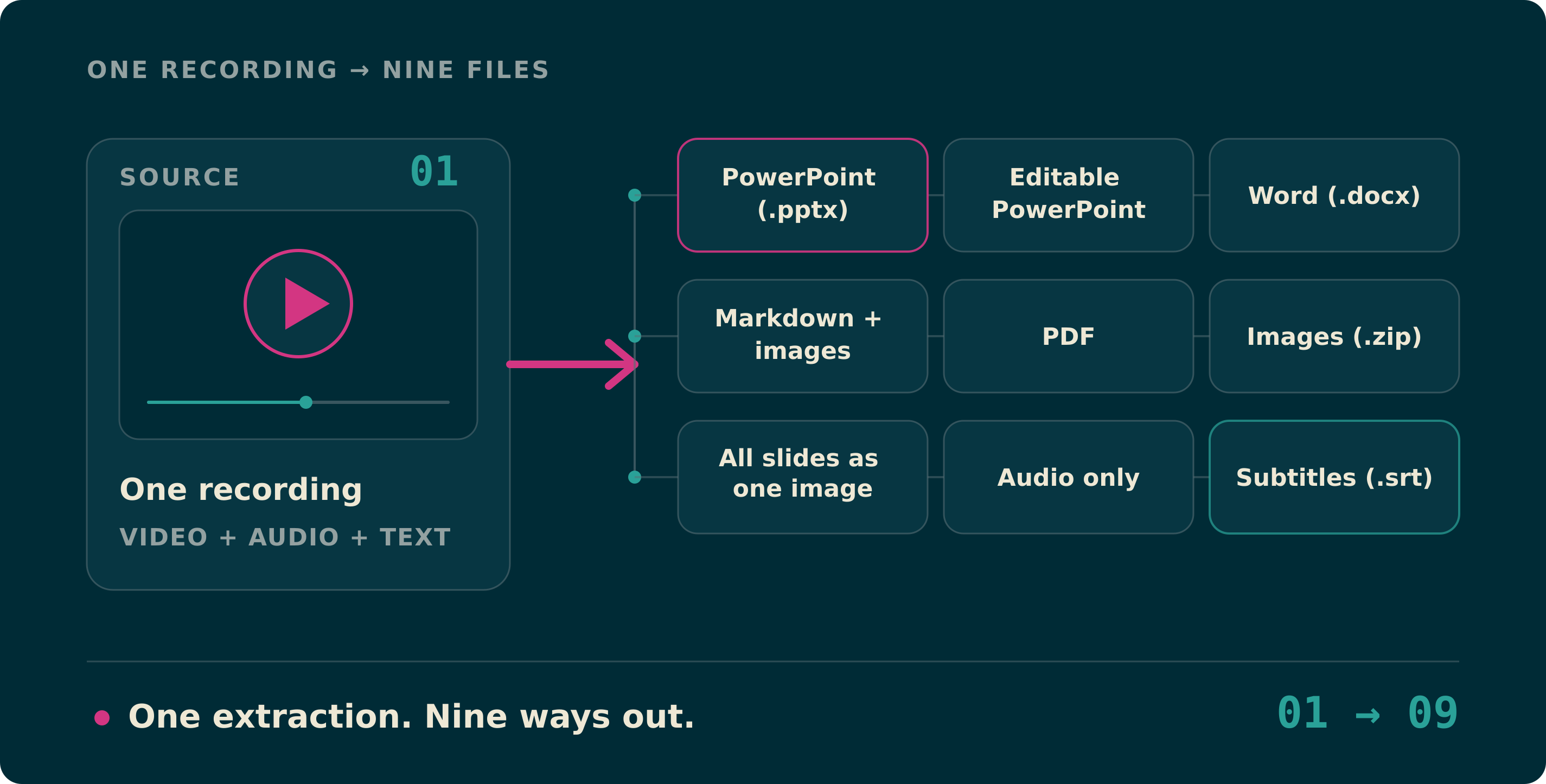
Which means the real question is not "can it export X". It is which one you actually want, and that depends entirely on where the file is going next. Here is the whole menu, and what each row is genuinely for.
On this page
The whole menu
Eight formats, one extraction. Pick by destination, not by habit.
| Format | Reach for it when | What you get |
|---|---|---|
| PowerPoint (.pptx) | You are presenting, or handing the deck over | One slide per detected change, each as a picture |
| Word (.docx) | It will be printed, marked up, or handed in | Every slide under its timestamp, as a heading you can jump to |
| Markdown + images | It is going into Obsidian, a wiki, or a repo | notes.md plus an images folder, linked by relative path |
| The other person will not open PowerPoint | One page per slide, fixed and printable | |
| Images (.zip) | The slides are raw material for something else | One JPEG per slide, named by its timestamp |
| All slides as one image | You are posting it or pasting it into a chat | A single PNG of the entire deck, in order |
| Audio only | You want to listen back, or feed another tool | The soundtrack as a small Opus file |
| One HTML file | It has to open anywhere, with nothing installed | The whole deck in a single file any browser opens |
Word, or Markdown?
These two carry the same thing — every slide and the moment it appeared — and differ only in where they are comfortable.
Word if a person is going to read it: print it, write in the margin, hand it in, mail it to someone who lives in Office. The timestamps come through as real headings, so Word’s navigation pane turns a two-hour lecture into a clickable outline.
Markdown if a machine is going to read it too. It is plain text, so it is searchable, diffable, and still openable in ten years. The archive holds notes.md and an images folder linked by relative path, which is exactly the shape Obsidian, Logseq, VS Code and GitHub all already understand.
The one-image export is for a timeline, not an archive
"All slides as one image" puts the entire deck into a single PNG, in order, each slide with its timestamp on it. It is the only export that survives being pasted into a chat window, and the only one that answers "what was in that talk?" without anyone opening a file.
It is not a substitute for the deck. Nobody can read the small print on a forty-slide sheet. Post the image, attach the .pptx.
Audio, and why it is not an MP3
"Audio only" hands you the soundtrack as an .ogg holding an Opus stream. An hour of speech comes out around 20 MB, against the 115 MB the same audio takes uncompressed.
It is not an MP3, and that is not an oversight. No browser ships an MP3 encoder — so any site that offers you one is doing that work on a server, which means your file was uploaded to it. Opus is what a browser can genuinely encode on its own, every current player reads it, and nothing left your machine. If you specifically need MP3 for some old device, convert the .ogg afterwards with a local tool.
Questions people actually ask
- Can I export more than one format?
- Yes, and there is no cost to it. The deck is already in your browser, so a second export is one more click — no re-processing and no second wait.
- Does exporting upload my video anywhere?
- No. The video is read in your browser, the slides are found there, and every file listed above is written there too. Nothing is sent to a server at any point in that chain.
- Why is there no Google Slides or Keynote export?
- Because neither needs one. Both open .pptx directly — in Google Slides it is File → Import slides, in Keynote you just open the file. A dedicated export would produce the same deck by a longer route.
- Which format keeps the timestamps?
- Word and Markdown put the timestamp above each slide as a heading. The image ZIP puts it in every filename, and the one-image sheet prints it on each tile. The PDF can carry them too if you turn that on.
One recording, whichever file you needed
Drop a video in, wait once, then take PowerPoint and Markdown and the audio if that is what the week calls for. It all runs in the tab, and none of it uploads.