Skip to content

How do I convert a video to PDF?

Open a local recording, extract the slides in this tab, then save a PDF with one slide image per page.

Use the extension to pull slides from a video in another tab

Drop a lecture, meeting or screen recording. Slide extraction runs in your browser and the video is not uploaded. Review the pages, then export the PDF. The first 30 minutes of each recording are free, and free PDFs end with a Video2Any credit page. The PDF has no text layer and is not a written handout.

1. Open the recording

Drop a local video with readable slides. A lecture, a meeting or a screen capture works as long as your browser can play the file.

Slide extraction stays in this tab. Nothing is uploaded, and the first 30 minutes of each recording are free without an account.

2. Review the pages

A page is kept when the picture changes and then settles. Remove repeats, blank frames and title cards, and crop a border or speaker strip that takes space from the slide.

Reorder the pages if the recording jumped around. Add a slide the detector missed from the editor.

3. Save the PDF

Choose PDF in the editor. Each slide becomes one image on its own page, fitted into a landscape 16:9 page with empty space where the picture does not fill it.

A free account includes one full-length recording. The lifetime plan removes the analysis length limit and the credit page.

What the PDF contains

One JPEG slide image per page, fitted into a 16:9 page and centered. A PDF reader can annotate and print it.

There is no text layer, so the words cannot be selected or edited. It is not a written summary and not the Spoken-notes handout. If the video shows no slides, the PDF is empty or nearly empty.

PDF or PowerPoint?

Choose PDF for a handout, a revision pack or a printout. Choose PowerPoint when you still need to move pages or add text boxes.

Both exports use the same slide images. Neither rebuilds the original text as editable text.

How do I convert a video to PDF?
Open a local recording in this tab, extract the slides, review them, then choose PDF in the editor. Each slide becomes one image on its own page. Slide extraction runs in your browser and the video is not uploaded. The first 30 minutes are free, and free PDFs end with a Video2Any credit page.
Can I copy text out of the PDF?
No. The pages are images, so there is no text to select or edit. A PDF reader may offer its own text recognition, but that is not part of this export.
Is my video uploaded?
No. The file is read in this tab, and the PDF is built on your computer. Only a transcript or Spoken-notes job uploads audio, and this page does not start one.
Can I print the PDF?
Yes. The PDF is a normal document, and printing it gives one slide image per page with the slide fitted inside.
Can I annotate the PDF on a tablet?
Yes. A reader on a tablet can draw on a slide or add a note beside it. The annotations stay in the PDF, not in the original recording.
What is free?
The first 30 minutes per video are free without an account. A free account includes one full-length recording. Then the year pass is $29 (no auto-renew), monthly is $9.99 with $10 of credit (cancel any time), or a one-time $49 payment removes the analysis length limit.
What can I edit?
The slides are images from the recording. You can reorder, crop and annotate them; the original text and charts are not rebuilt as editable objects. Free PPTX/PDF exports add a final Video2Any credit page. Paid plans remove it.
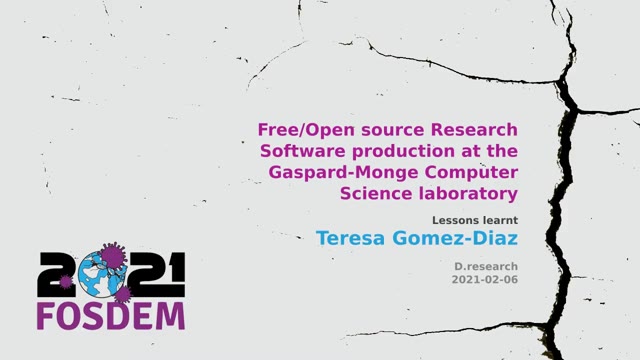
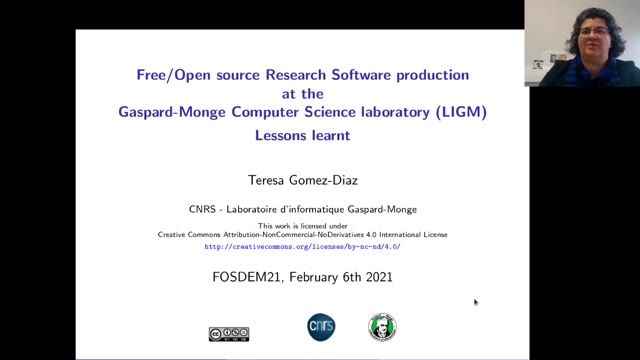
What it got out of a real recording

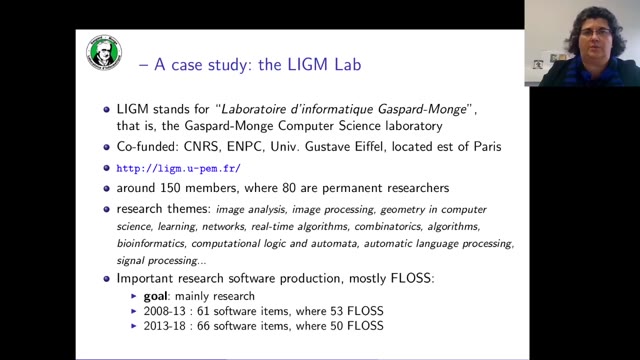
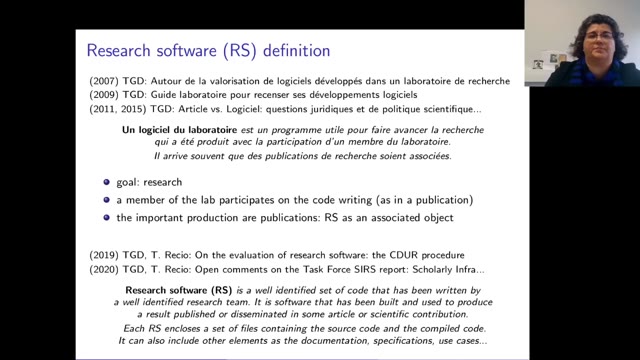
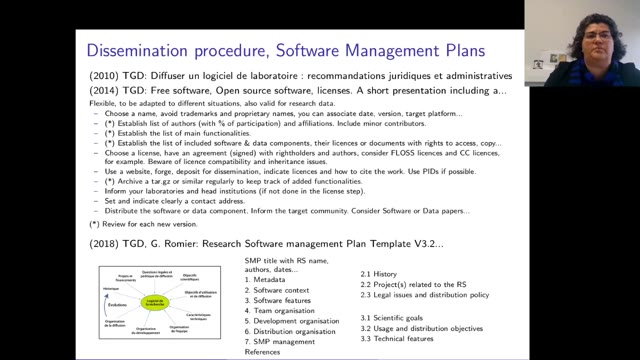
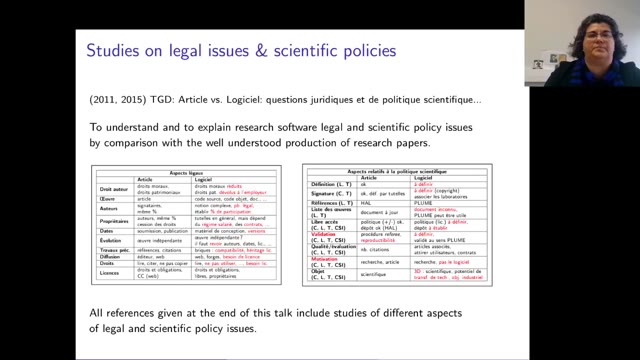
Research software at Gaspard-Monge · Teresa Gomez-Diaz · FOSDEM 2021, Open Research

  1. Slide 1 of “Research software at Gaspard-Monge”, kept at 0:00

    #1 · 0:00

  2. Slide 2 of “Research software at Gaspard-Monge”, kept at 0:07

    #2 · 0:07

  3. Slide 4 of “Research software at Gaspard-Monge”, kept at 1:02

    #4 · 1:02

  4. Slide 6 of “Research software at Gaspard-Monge”, kept at 4:44

    #6 · 4:44

  5. Slide 8 of “Research software at Gaspard-Monge”, kept at 8:09

    #8 · 8:09

  6. Slide 10 of “Research software at Gaspard-Monge”, kept at 10:29

    #10 · 10:29

14:15 of the recording → 10 slides kept

Six extracted pages, not the full recording. Includes source and licence information.

Recording from FOSDEM, used under CC BY 2.0 BE. open the recording · Rights concern? request removal

Other outputs