Skip to content
Video2Any
Free local tool
Processed in this tab

Extract an image sequence from video

Choose a total count or time interval, inspect the frames, and download one organized ZIP.

What it got out of a real recording

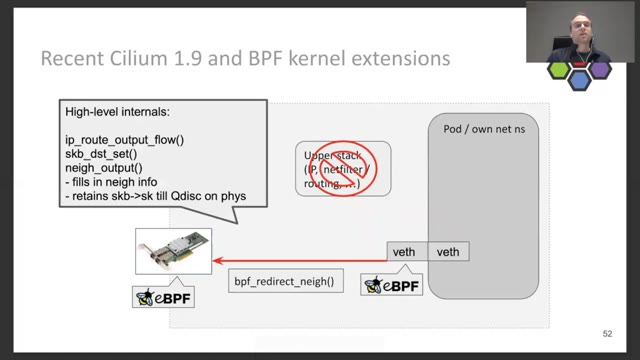
Advanced BPF kernel features for the container age · Daniel Borkmann · FOSDEM 2021 · Containers devroom

  1. Slide 1 of “Advanced BPF kernel features for the container age”, kept at 0:00

    #1 · 0:00

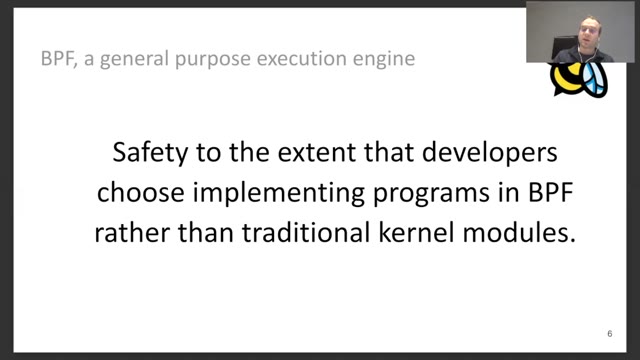
  2. Slide 8 of “Advanced BPF kernel features for the container age”, kept at 1:34

    #8 · 1:34

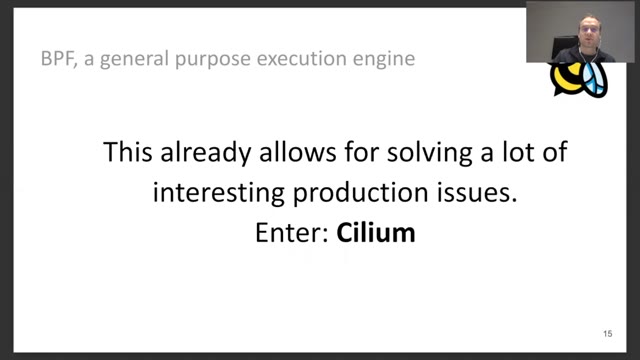
  3. Slide 16 of “Advanced BPF kernel features for the container age”, kept at 4:29

    #16 · 4:29

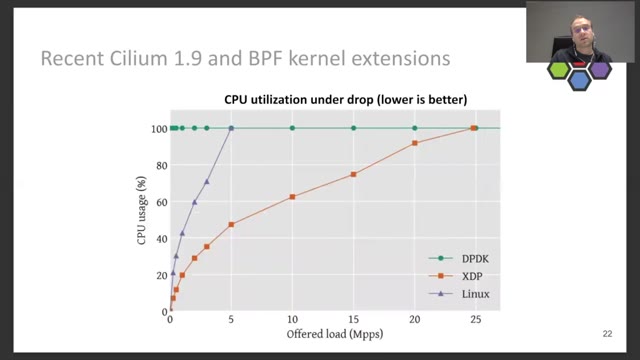
  4. Slide 23 of “Advanced BPF kernel features for the container age”, kept at 8:29

    #23 · 8:29

  5. Slide 31 of “Advanced BPF kernel features for the container age”, kept at 14:14

    #31 · 14:14

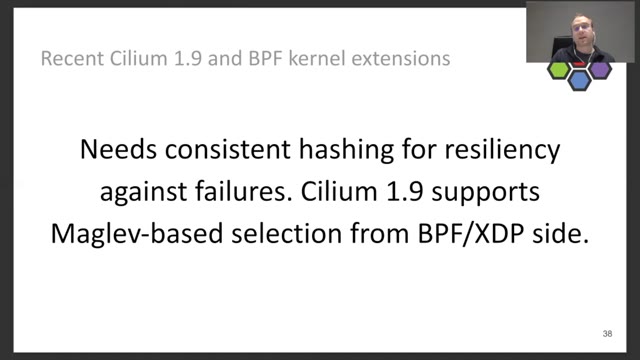
  6. Slide 38 of “Advanced BPF kernel features for the container age”, kept at 19:52

    #38 · 19:52

29:21 of recording → 53 slides kept

Recording from FOSDEM, used under CC BY 2.0 BE. open the recording · Rights concern? request removal

Sampling, not detecting. You say how many images you want or how far apart they should be, and Video2Any walks the video and takes exactly those frames — evenly across the whole thing, or every few seconds. It is the tool for thumbnails, reference frames, a contact sheet, or a folder of stills for a dataset. The video is read on your own machine and the ZIP is assembled in this tab, so nothing is uploaded and there is no account to make.

Two ways to choose the frames

Count mode spreads the number you ask for evenly from the first frame to the last. Ask for 12 and you get 12, whether the video is four minutes or four hours — the spacing changes, the count does not. This is the mode for a contact sheet or a set of thumbnails, where what you want is coverage of the whole thing.

Interval mode takes a frame every N seconds from the start, so the count depends on the length. This is the mode when the spacing itself is the point: one frame a second for motion analysis, one every thirty for a long timelapse.

The 240-frame ceiling, and when it bites

Interval mode stops at 240 frames. That is not arbitrary — every frame is decoded and held in the tab, and a few hundred full-resolution stills is where a browser starts to struggle.

What it means in practice: every 5 seconds covers the first 20 minutes, every 10 seconds the first 40, every 30 seconds the first two hours. Past that, the run simply stops and the rest of the video is not sampled. If you want coverage of a long video rather than a fixed rhythm, count mode is the right tool — it stretches to any duration.

File names that sort and point back

Each file is named frame-01-00m05s.jpg. The sequence number comes first so the folder sorts in order in any file manager, and the timestamp follows so a frame you want to see in motion is a jump to that point in the source rather than a search.

That second half is what makes the ZIP useful weeks later. A folder of img_0001 through img_0240 tells you nothing about where anything came from; these do.

What resolution you get

Frames are captured at up to 1600 pixels wide. If the source is smaller than that, you get the source resolution — a 1280-wide video yields 1280-wide frames, not blurry upscaled ones.

The cap exists because these come out as a batch. Two hundred 4K stills would be a download nobody wants and a tab that runs out of memory; 1600 wide is enough for a print contact sheet, a reference image, or a slide in a document.

This samples, it does not detect

The distinction is the most useful thing on this page. Sampling takes frames on a rhythm you choose, so it does not know or care what is on screen. Point it at a lecture and it will cheerfully return the same slide four times because the speaker stayed on it, and miss the one that was up for two seconds.

Detection is the opposite: it keeps a frame only when the picture changed and then held still, so a deck comes back as one image per slide, regardless of how long each was shown. If what you have is a talk, a webinar or a screen share, that is the tool you want, and it is the one this site is built around.

What people use the ZIP for

Thumbnails and cover candidates, where you want a spread of the whole video and then pick. Reference frames for illustration or animation. A visual index of footage that is otherwise hard to search. Stills for a training set, where even spacing is the point rather than picking the interesting moments.

Also the unglamorous one: proof. A frame with a timestamp in its filename is a citable record of what was on screen at a given moment, which is more than a screenshot taken by hand can claim.

Nothing is uploaded

Your browser reads the video on your own computer and assembles the ZIP there. The file never reaches a server, no account is required, nothing is stored, and there is no retention window to read because nothing is held.

For footage that is not yours to distribute — a client recording, an internal review, unreleased material — that is the difference between being able to pull frames and not. The trade is that the decoding runs on your machine, so a long video with a short interval takes a visible minute or two.

Before you download

Every frame lands in a grid with its number and timestamp before anything is written. Delete the black frames, the transitions, the shots of the room — whatever you remove there is not in the ZIP.

It is worth doing. A folder where every file earns its place is the difference between an archive and a pile, and the review takes about as long as scrolling once.

Can I extract by interval?
Yes. Two modes: a total count, spread evenly from the first frame to the last, or every N seconds from the start. The interval accepts anything from 0.5 to 300 seconds in half-second steps.
How are files named?
frame-01-00m05s.jpg — a sequence number so they sort correctly in any file manager, then the timestamp so you can find the moment again in the source video.
Why did I get 240 images when I asked for more?
Interval mode stops at 240 frames. At every 5 seconds that covers the first 20 minutes; at every 30 seconds, the first two hours. If you need coverage across a longer video, use count mode instead — it spreads whatever number you ask for across the entire duration.
How big are the images?
Up to 1600 pixels wide, taken from the source at its own resolution and scaled down only if it is larger. A 720p video gives 1280-wide frames, not upscaled ones.
Is this the same as extracting slides?
No, and the difference matters. This samples on a schedule you set, so it will happily give you the same slide four times and miss one that was up for two seconds. The slide extractor watches for the picture changing and then holding still, which is what you want for a lecture or a deck.
Does the video upload?
No. Your browser opens the file on your own machine and builds the ZIP there. Nothing reaches a server, and closing the tab is the deletion.
Can I drop frames I do not want before downloading?
Yes. Every frame appears in a grid with its number and timestamp, and what you remove there is not in the ZIP.
What format are they?
JPG, in one ZIP named after the source file. JPG rather than PNG because these are photographic frames from video, where PNG would multiply the size for no visible gain.