Skip to content

Turn a video into a mind map

Open a lecture or meeting recording, build a branching outline from the talk, and export it.

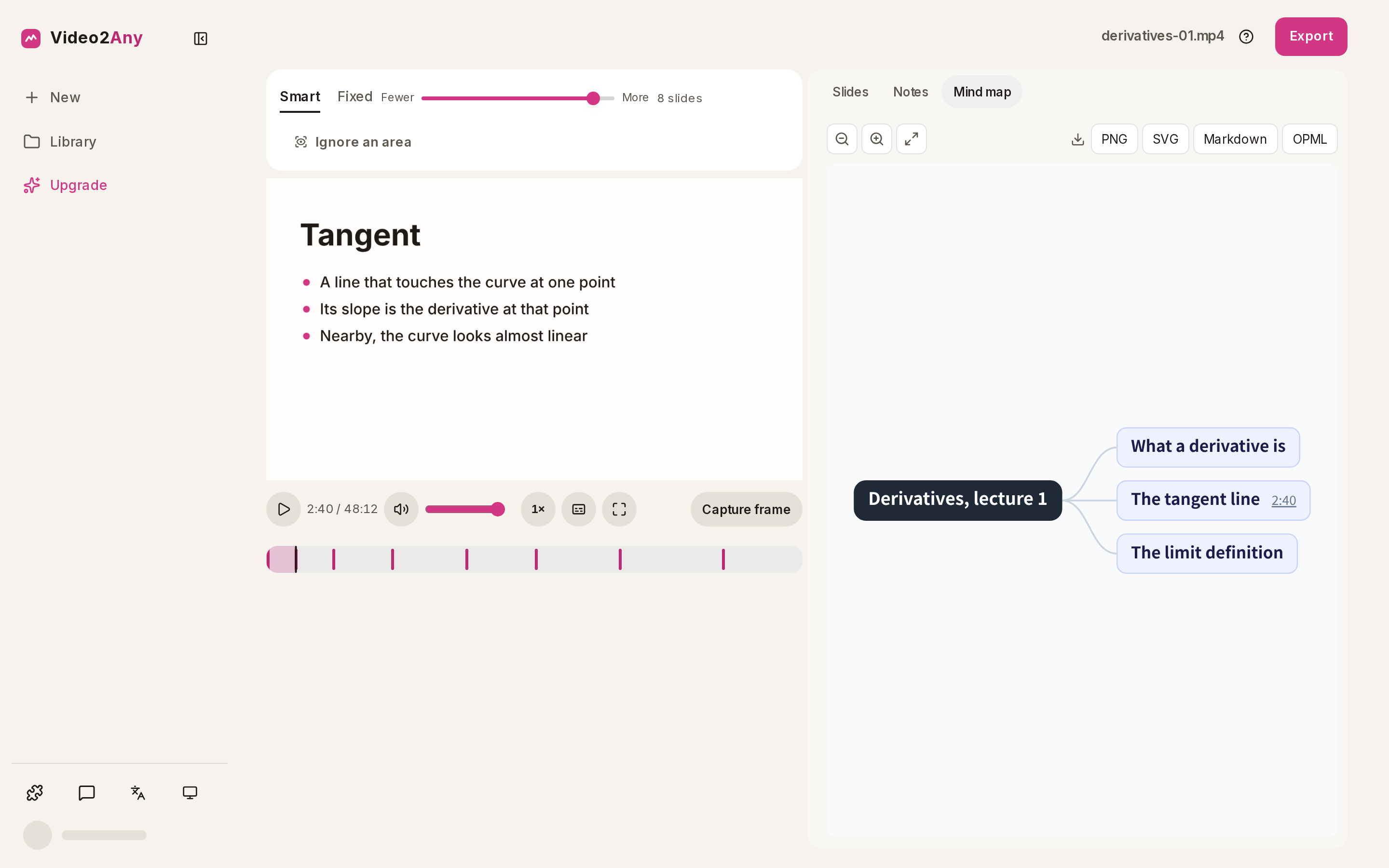
Mind map tab in the editor

The map is written with spoken notes, in the same run: the talk’s title in the middle, its topics as branches and the points under them, with the time each starts. A recording whose notes are already finished shows its map right away, with no new run and no charge.

How to turn a video into a mind map

Open a lecture or meeting recording your browser can play. It opens in the editor. Extracting the pages first is optional and stays on your device.

Sign in and start spoken notes, or open a recording whose notes are already finished.

When the run finishes, open the Mind map tab. Click a time to play from there, drag to move around, and zoom with the buttons.

Download the map as PNG, SVG, Markdown or OPML.

What the map is

An outline of the talk: the title, and each chapter off it with the time it starts. In the editor, clicking a time plays the recording from there.

It is not a newly written PPT and it does not replace page extraction. To keep the pages that were on screen, convert the video to PPT slides.

Convert video to PPT slides

Minutes and privacy

Starting spoken notes needs an account and uploads the audio, plus page stills when you extracted pages. The full video file stays on your device.

Each account has 3 free runs, each up to 30 minutes and 60 pages. After that, a run uses 1 minute ($0.01) per started minute of audio. The map is part of that run: opening or downloading it again costs nothing, and a failed run is not charged.

Pricing

Which page to use

  • An outline of a local recording

    Use
    This page
    You get
    A mind map as PNG, SVG, Markdown or OPML
  • A map of a YouTube talk you are watching

    You get
    The same map, through the extension
  • An outline of a class recording

    You get
    Topics and sub-points with start times
  • The pages that were on screen

    You get
    One image per page, as PPTX or PDF
  • A handout or only the transcript

    Use
    Video to notes or Video to text
    You get
    Markdown, Word or PDF notes; TXT or SRT
What does “video to mind map” mean here?
The talk in a recording becomes a branching outline: the title, its topics, and the points under each, with the time each starts. It is written with the spoken notes of the recording, so it follows what was said, not what was drawn on screen.
How much does it cost?
The map comes with spoken notes. Each account has 3 free runs, each up to 30 minutes and 60 pages; after that a run uses 1 minute ($0.01) per started minute of audio. Opening the map from finished notes costs nothing. It is not unlimited free; see Pricing for the current numbers.
Is the video file uploaded?
No. Starting spoken notes uploads the audio, and page stills when you extracted pages. The video file stays in your browser.
Can I build a map from notes I already have?
Yes. Open the recording with its finished notes and open the Mind map tab. No new run starts and no minutes are used.
Is this the same as converting a video to PPT?
No. Video to PPT keeps the pages that were on screen as images. The mind map is an outline of the talk. You can do both with the same recording.
Which files can I download?
PNG and SVG pictures of the map, a Markdown nested list, and OPML for outliner and mind-map apps that import it.
Other outputs