Why a talking-head interview will not become a useful slide deck
Video2Any is built to keep the pages that were already on screen. That is a good fit for a lecture, a webinar, or a meeting where someone shared a deck. It is a poor fit for an interview that is only two people talking to a camera. The tool cannot invent slides from speech, and it should not pretend to.
If the guest or the host did put up a deck, even for part of the hour, those pages can still be recovered. The rest of this post is about telling the two cases apart, and about what to export when there is no deck in the file.
On this page
What extraction can actually keep
Extraction looks for a picture that appears and then holds: a presented slide, a shared document, a still diagram. A talking head does not do that. A face, a bookshelf, a Zoom tile or a slight change of camera angle will either be ignored, or collected as frames you would only have to delete.
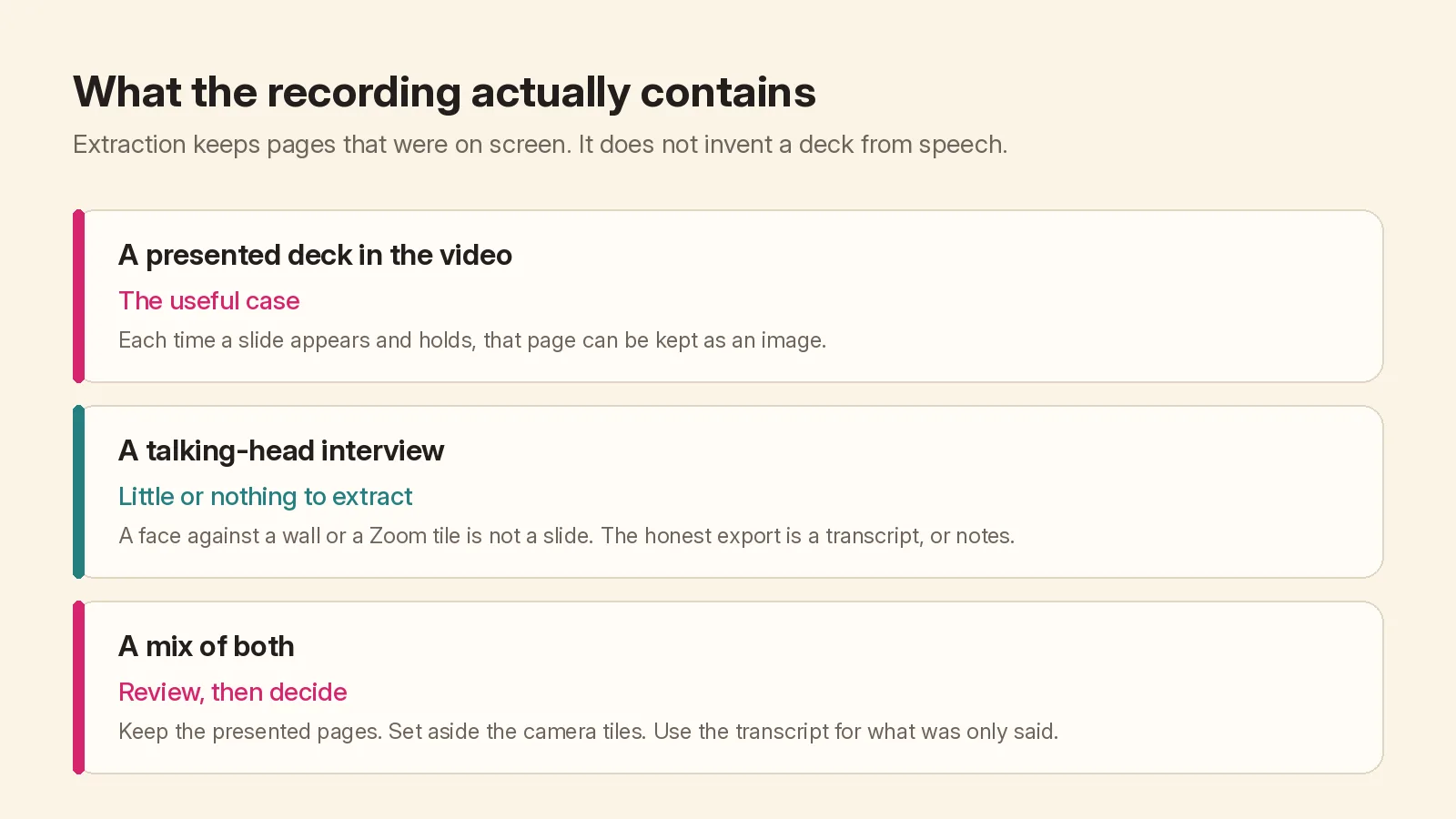
A quick way to decide, before you start a long run:
- You can see slides in the video. Use the lecture extraction guide or the extract-slides page. After the run, set aside camera frames and delete anything that is only a person.
- You only see people. Skip slide extraction. Start a transcript, or spoken notes if you want a handout rather than a word-for-word file.
- You see both. Extract first, review, keep the presented pages, and run notes or a transcript for what was only said.
There is still no paste-a-link box, and there is no "turn this conversation into a new designed deck." Other products write a fresh presentation from the narration. That is a different file, and a different job.
What to export instead
A transcript is the spoken text as recognised, in the order it was said, with optional timestamps and an .srt export. Speaker names are not labelled, and cross-talk may run together. Transcript-only runs have their own three free runs per account, each up to 30 minutes, then a per-minute charge only when the run finishes; the live figures are on the transcript page and on pricing. Starting a run uploads the audio; the video file stays on your device.
Spoken notes are a handout written from that audio, organised by chapter. If the job also has pages, the notes can follow those pages; if it does not, you still get a write-up of what was said. Starting notes uploads the audio and, when there are pages, the page images. The first time you do this, the product shows the free and paid rules before you confirm.
Neither of those exports is a substitute for the original slides, because there were no slides to substitute for. If you needed a deck for a class or a team, the honest path is to ask the interviewee whether they have one, or to make a short outline yourself from the transcript.
When an "interview" still has slides
Some recordings are labelled as interviews and then cut to a shared screen for ten minutes at a time. Those ten minutes are worth extracting. Use Ignore an area if a small video tile sits on top of the shared screen, and Review to drop the camera sections. The pages you keep are still pictures of what was shown, not editable objects.
If you are unsure, start the file, look at the first few detected pages, and stop if they are only faces. A short failed experiment is cheaper than a two-hour wait for an empty deck.