Notes from a webinar recording
An hour of webinar is an hour nobody replays. Extract the pages the presenter showed, run Spoken notes on what was said, and the webinar becomes one handout you can read in ten minutes, with a note on every page and the timestamps to jump back. It runs on a recording you are allowed to process: a replay you attended, a vendor training, a public talk.
Sign in to run Spoken notes. The video file stays on your device; starting notes uploads the audio and, when the job has pages, the page images.
 4:39
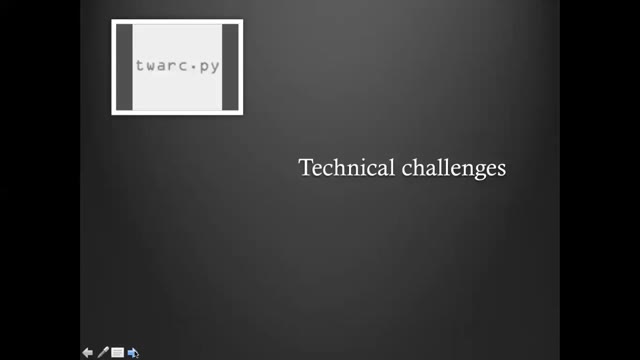
The speaker uses an opening anecdote to introduce the technical and value-based challenges of being a FLOSS tools user in a social science setting. On the technical side, the first challenge is that the speaker does not know how to code. This meant they did not exploit Torque to the fullest or use its Python library programmatically, and had to rely on a third party to build the network that was eventually imported into Gephi.
Summary
Maya introduces her talk on how free/libre and open source software (FLOSS) meets social science research, opening with the quote often attributed to Henry Ford—"If I had asked people what they wanted, they would have said faster horses"—to illustrate users' inability to convey their needs to innovators. She notes this is the opposite of how open source development and open research grow: by valuing and promoting user feedback toward community-oriented goals.
From the FOSDEM 2021 demo talk (CC BY 2.0 BE): a page with the note written from the stretch it was on screen.
- One chaptered handout
- Notes per page, timestamps to jump back
- 3 free runs
From the replay to the handout
Open the replay file
Drop the recording you have the right to process. When it only plays in the platform's player, the extension reads the pages from that tab.
Check the pages
Webinars mix slides, screen shares and talking heads. Keep the pages that matter, delete the frames that caught a transition or a camera view.
Run Spoken notes and export
The speech becomes the chaptered handout, a note per page. Export Markdown, Word or PDF, with the transcript as .txt or .srt.
Rights and limits
- This processes recordings you already have the right to use; it grants no reuse rights of its own. Skip a webinar whose terms forbid notes from the replay.
- The handout is written from what was said, plus the page images when the job has pages. A webinar that lives mostly in the Q&A chat produces less.
- Sign-in is required.
Pricing
- Spoken notes cost $0.01 per started audio minute, charged only when the run finishes.
- 3 free completed runs per account, each up to 30 minutes and 60 pages.
- Monthly $9.99 with $10 of credit a month; one-year pass $29; Lifetime $49. Prices include tax.
Questions
- Can I process a webinar I attended but do not own?
- Only when the event's terms allow notes from the replay. The tool processes a file you give it and grants no reuse rights of its own.
- What about the replay with two video tracks?
- The detector reads the screen-share track for pages and the audio for the notes. When the platform interleaves camera and slides, the camera frames come out as pages you can delete.
- How is this different from the webinar slides page?
- /tools/webinar-to-slides ends at the deck. This page writes the spoken part into notes on every page of the same extraction.
- Does the video get uploaded?
- No. Pages are extracted in the browser. Starting Spoken notes uploads the audio and, when the job has pages, the page images.
- What does it cost?
- $0.01 per started audio minute, charged only when the run finishes. 3 completed runs are free per account, each up to 30 minutes and 60 pages.