Skip to content
Video2Any
Free local tool
Processed in this tab

Find every scene change

Tune one threshold, inspect each detected cut, and export a clean cut list.

What it got out of a real recording

Daily Deploys with 6500+ Automated Tests powered by Open Source · Antoine Craske · FOSDEM 2021 · Testing and Automation devroom
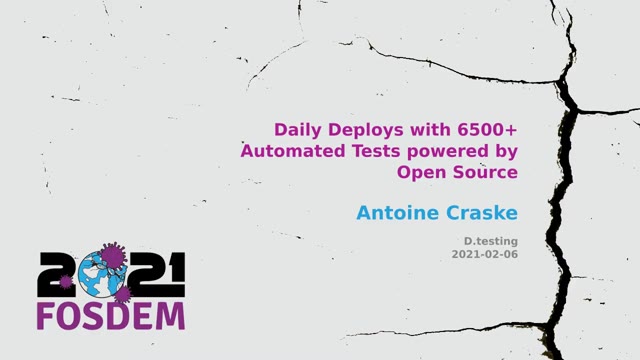
  1. Slide 1 of “Daily Deploys with 6500+ Automated Tests powered by Open Source”, kept at 0:00

    #1 · 0:00

  2. Slide 8 of “Daily Deploys with 6500+ Automated Tests powered by Open Source”, kept at 3:53

    #8 · 3:53

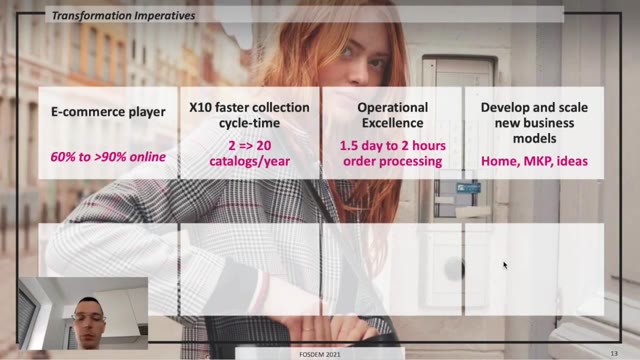
  3. Slide 14 of “Daily Deploys with 6500+ Automated Tests powered by Open Source”, kept at 6:29

    #14 · 6:29

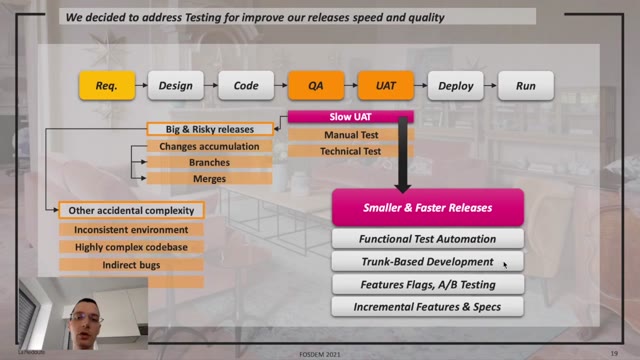
  4. Slide 21 of “Daily Deploys with 6500+ Automated Tests powered by Open Source”, kept at 11:23

    #21 · 11:23

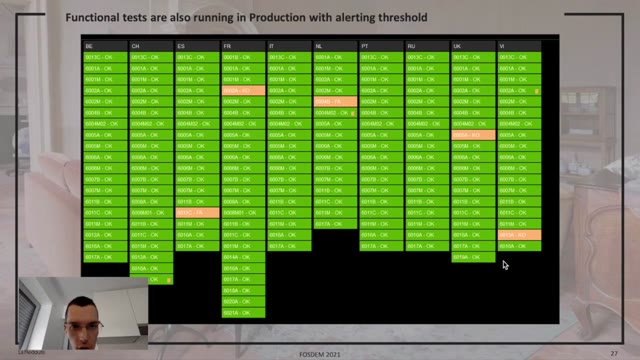
  5. Slide 28 of “Daily Deploys with 6500+ Automated Tests powered by Open Source”, kept at 17:12

    #28 · 17:12

  6. Slide 35 of “Daily Deploys with 6500+ Automated Tests powered by Open Source”, kept at 23:03

    #35 · 23:03

33:56 of recording → 48 slides kept

Recording from FOSDEM, used under CC BY 2.0 BE. open the recording · Rights concern? request removal

Where the cuts are, as a list you can act on. The tool walks the video, marks every point the picture changed enough to count as a new scene, shows you each one so you can judge it, and exports the timings as a CSV. It is the analysis half of what the rest of this site does — no images out, just the numbers, which is what an editor, a script, or a spreadsheet actually wants.

Numbers out, not pictures

Most tools that find scene changes hand you a folder of images. This one hands you the timings, because that is the thing you cannot easily produce yourself and the images are the thing you often do not need.

A cut list is what feeds the next step: splitting the file, seeking to a moment, marking chapters, checking that an edit has the pace it should. Once you have the numbers, all of those are a command away.

What the CSV contains

Three columns: the scene number, the start time in seconds to three decimal places, and the same moment as a readable clock reading. One row per detected cut, in order.

Both time formats are there because they serve different readers. A script or an ffmpeg command wants 12.480; a person scanning the file wants 00:00:12. Converting between them is trivial and annoying, so the file does it once.

The sensitivity slider is the whole interface

It runs from 1 to 10 and starts at 6. What it moves is the line between a real scene change and something merely moving in frame. Turn it up and a slow pan across a room can register as three scenes; turn it down and a soft dissolve can vanish entirely.

There is no correct setting, only a correct setting for this footage. A locked-off interview and a hand-held montage need different numbers, which is why the control is exposed rather than hidden behind an "auto" that guesses.

Every detected point is shown, on purpose

The timeline lists each cut so you can click through and see what the detector actually caught. That is not a preview feature — it is how you find out whether the sensitivity is right before you export a list of two hundred cuts that are mostly camera shake.

A tool that only gave you the file would leave you to discover the problem later, in whatever you fed the list into. Showing the work first is cheaper.

Where it is strong and where it is not

Hard cuts are found reliably: the frame changes completely and there is nothing ambiguous about it. Dissolves, fades and wipes are gradual by definition, so they may come back as one cut, several, or none depending on where you set the threshold.

Motion is the other hard case. A camera whipping across a scene changes the picture as much as a cut does, and no threshold separates them perfectly. This is why the list is reviewable rather than final.

The same engine as everything else here

Slide extraction, storyboards, notes and this page all sit on one detector: compare frames, decide what counts as a change. What differs is what happens next.

Slide extraction adds a second condition — the picture has to change and then hold still — because a slide is defined by staying put. Scene detection drops that condition, because a cut into a moving shot is still a cut. Same measurement, different question.

Nothing leaves the machine

The video is read on your own computer and the detection runs in this tab. No upload, no account, nothing stored, and no retention window to check because nothing is held.

For unreleased footage, client material, or anything under an agreement about where it may be copied, that removes the question entirely rather than answering it.

What people do with the list

Split a long recording into per-scene files. Build chapter markers for a player. Seek straight to the moment a topic changed. Check the pacing of an edit by looking at the gaps rather than watching it again.

The common thread is that these are all easier with a column of numbers than with a folder of thumbnails, which is the case for producing the timings on their own.

What does sensitivity change?
Where the line sits between "the shot changed" and "something moved". It runs 1 to 10 and starts at 6. Higher keeps smaller changes, so a slow pan can register as several scenes; lower ignores more motion and compression noise, at the cost of missing a soft transition.
Can I export the cut list?
Yes, as a CSV with three columns: scene number, start in seconds to three decimals, and start as a readable clock time. It is named after your video with -scene-cuts appended, so it stays matched to the file it came from.
Why two time formats in the export?
Because they get used by different things. The seconds column is what a script, ffmpeg command or spreadsheet formula wants; the clock column is what you read when you are scanning the file yourself. Neither is derivable from the other without work, so both are written.
Does it give me the frames as well?
No, and that is the point of this page rather than a limitation. If you want images, the extractor and the frame tools produce them. This one produces the timings, because a list of cut points is a different deliverable from a folder of pictures.
Is this the same detection used for slides?
The same engine, tuned differently. A slide deck and a cut-heavy edit are both "the picture changed", which is why one detector serves both — but a slide is a change that then holds still, and a scene cut does not have to.
How accurate is it on a fast edit?
Good on hard cuts, weaker on dissolves and fades, which change gradually and can register as one cut or several depending on sensitivity. Check the list against the timeline before you trust it; the whole reason each detected point is shown is so you can.
Does the video upload?
No. Your browser reads the file on your own machine and runs the detection in this tab. Nothing reaches a server, and closing the tab is the deletion.
How long can the video be?
There is no cap on the file. Expect the sweep to take real time on your own hardware — roughly seven minutes per 70 minutes of video — with the tab left open.