"Ceph RGW message queue API for serverless computing" — FOSDEM 2021
18 slides from a 44-minute talk — extracted in the browser, nothing uploaded.
Yuval Lifshitz and Huamin Chen · FOSDEM 2021, Software Defined Storage devroom · video.fosdem.org/2021/D.sds/sds_ceph_rgw_serverless.webm



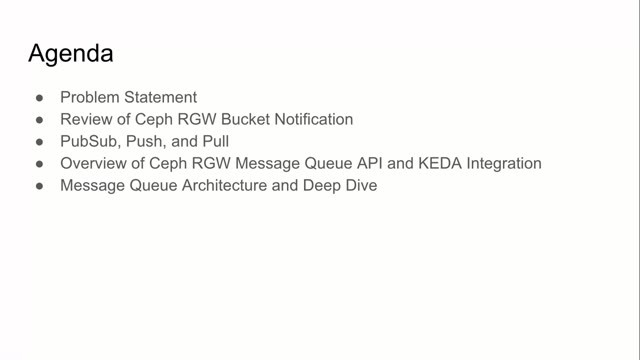
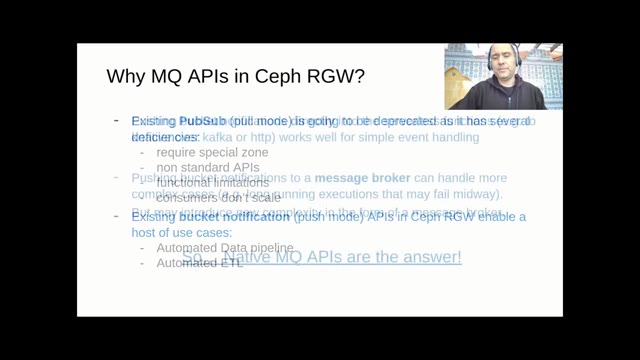
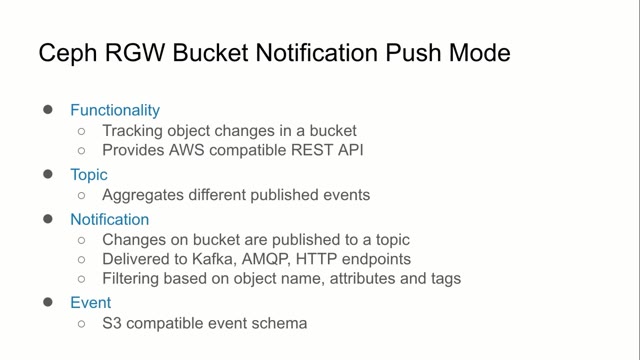
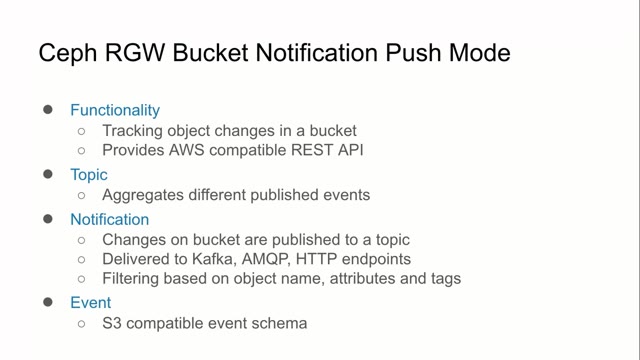
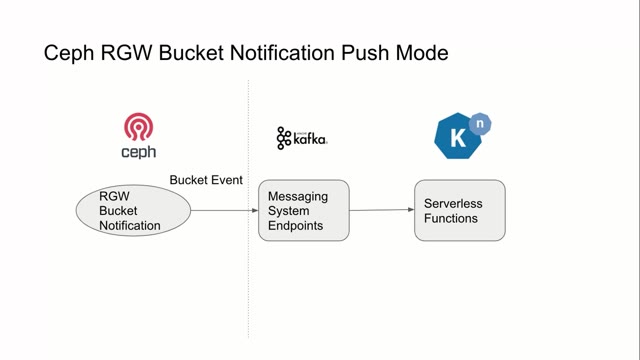
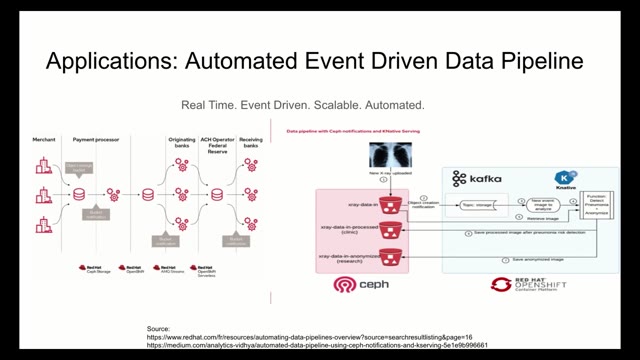
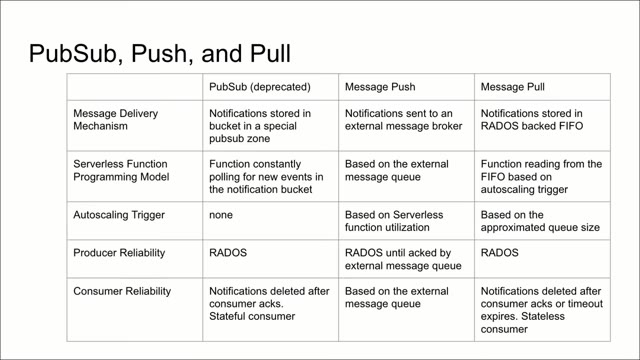
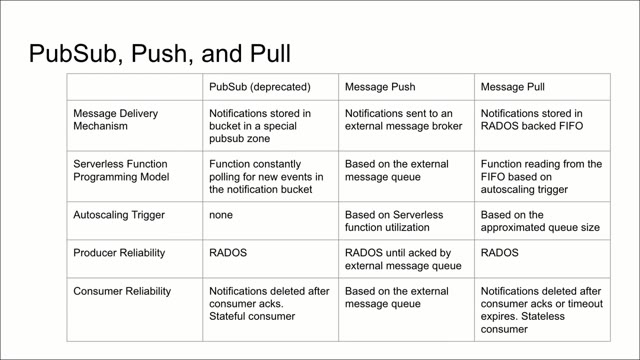
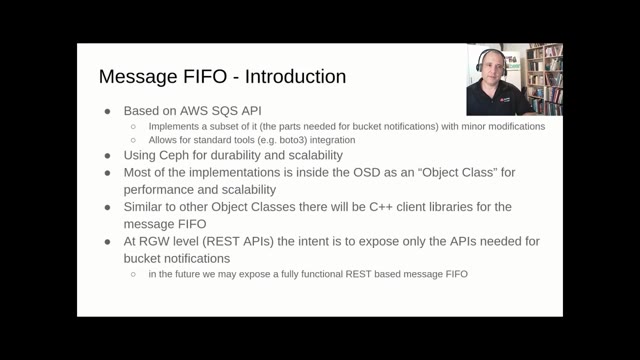
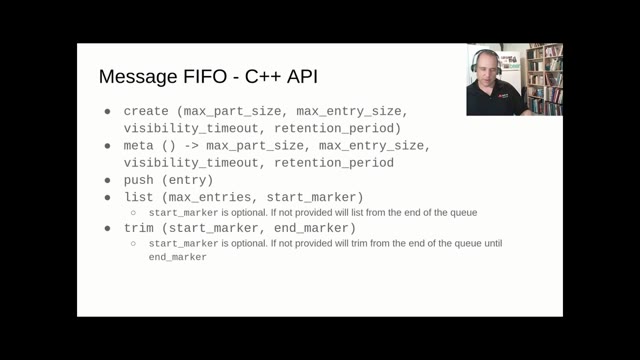
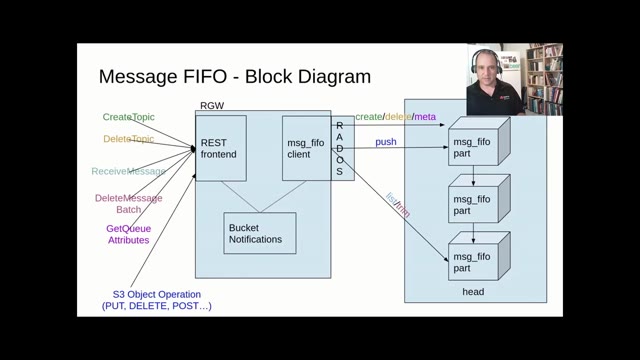
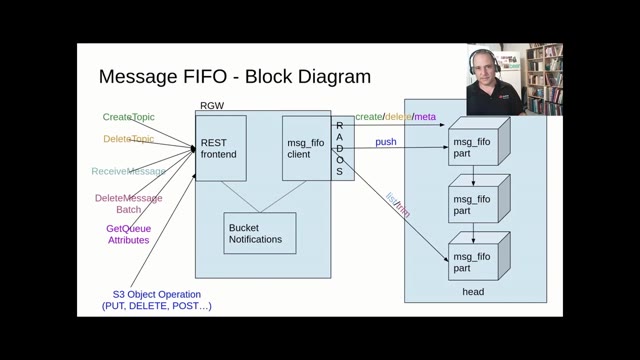
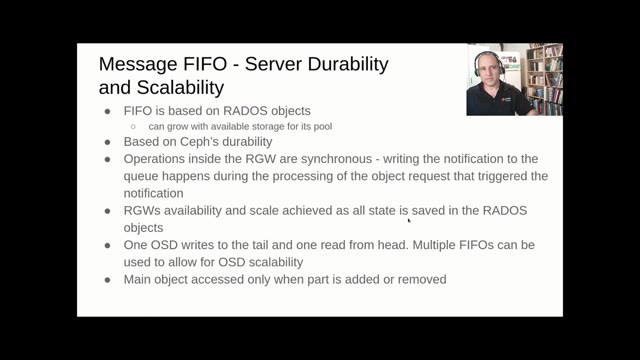
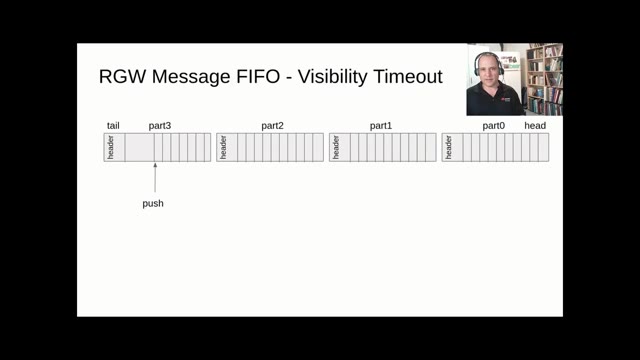

Yuval Lifshitz and Huamin Chen spoke in the Software Defined Storage devroom at FOSDEM 2021 on getting Ceph's object gateway to feed serverless functions, and the trade-offs between pubsub, push and pull delivery. Video2Any stepped through the 44-minute recording and kept 18 clean frames, one per slide change. At 0.4 slides a minute this is the slowest deck in this gallery — two speakers spending long stretches on one comparison table — and it is a clean demonstration that the number of slides you get back is set by the presenter, not by the tool or the duration. Every image below is real output, extracted in a browser tab with nothing uploaded.
Private by design
Uploaded files are decoded, compared, and assembled inside your browser tab. They never touch our servers; close the tab and nothing is left behind.
FAQ
- Are these the actual slides from the talk?
- Yes. Video2Any read the published recording and kept one image per slide change. FOSDEM publishes its 2021 recordings under CC BY 2.0 BE, which permits reuse with credit; we credit FOSDEM and link to the original file above.
- Forty-four minutes and only 18 slides — was something missed?
- No. Two speakers taking questions over a comparison table can hold one slide for several minutes. The extraction kept every timestamp and the original recording is linked above, so any of it can be checked.
- Can I do this with a talk I have?
- Yes, and it is free for your own files. Drop the recording in and Video2Any detects each slide, keeps one clean frame per change, and exports an .pptx or PDF — in your browser, with nothing uploaded.
Turn any source type quickly, with no guesswork.
Start converting nowTurn a lecture recording into a study deckConvert MP4 to PowerPoint, right in your browser