A class recording becomes notes you can study
The lecture is over, the recording is on your laptop, and the slides never came. Open the recording, let the browser pick up every page that was shown, and run Spoken notes. You get one handout organized by chapter, with notes on each page drawn from what was said while that page was up. Read it before the exam; export it as Markdown, Word or PDF.
Sign in to run Spoken notes. The video file stays on your device; starting notes uploads the audio and, when the job has pages, the page images.
 0:38
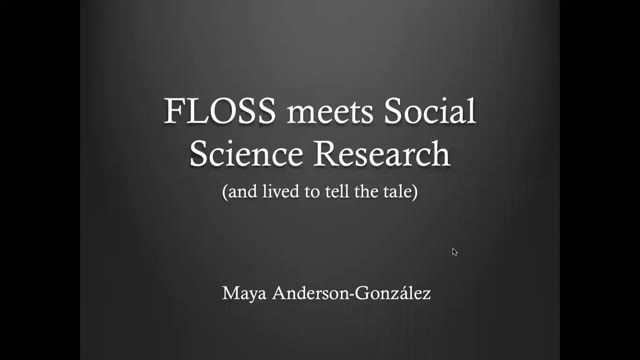
The speaker introduces herself as Maya and says she will talk about how floss meets social science research and lives to tell the tale. She begins with a quote: if people had been asked what they wanted, they would have said faster horses.
Summary
Maya introduces her talk on how free/libre and open source software (FLOSS) meets social science research, opening with the quote often attributed to Henry Ford—"If I had asked people what they wanted, they would have said faster horses"—to illustrate users' inability to convey their needs to innovators. She notes this is the opposite of how open source development and open research grow: by valuing and promoting user feedback toward community-oriented goals.
From the FOSDEM 2021 demo talk (CC BY 2.0 BE): one handout, chaptered, with notes on every page.
- One chaptered handout
- Notes on every page
- 3 free runs
The after-class workflow
Open the recording
Drop the file in. If the class only plays on the university portal, the extension reads the pages from that tab while it plays.
Extract the pages
Each time the screen changes and settles, the detector keeps a page. Review the list, crop the camera bubble, delete the transition frames.
Run Spoken notes
Sign in and start the run. The audio goes up first and the write-up arrives page by page; the video file never leaves your device.
Study and export
Read the handout page by page in study mode, fix anything the transcript garbled, and export Markdown, Word or PDF with the page images alongside.
What you export
- Markdown
- .md, or a .zip with notes.md and the images/ folder.
- Word
- .docx with the page images embedded.
- Continuous layout, ready to print.
- Transcript .txt / .srt
- The full transcript ships with every run.
Know before you start
- Sign-in is required; Spoken notes runs for an account.
- Notes are written from what was said, plus the page images when the job has pages. A class where nobody talks gives a thin handout.
Pricing
- Spoken notes cost $0.01 per started audio minute. The page count does not change the price.
- 3 free completed runs per account, each up to 30 minutes and 60 pages.
- Charged only when the run finishes; a failed run costs nothing.
- Plans: monthly $9.99 with $10 of credit a month, one-year pass $29, Lifetime $49. Prices include tax.
Questions
- How is this different from the general notes page?
- /video-to-notes is the product overview for every kind of recording. This page follows the student sequence after one class: capture the pages, run Spoken notes, review before the exam.
- Does the recording get uploaded?
- No. Pages are extracted in the browser and the video file stays on your device. Starting Spoken notes uploads the audio and, when the job has pages, the page images.
- What if the lecture only plays on the university portal?
- The extension reads the pages from the tab as they are shown and can capture the audio already playing there. Starting Spoken notes uploads that audio and, when there are pages, the page images. A protected player may block audio capture; then you can use a file you can process, or keep the pages without notes.
- Can I make flashcards from the same run?
- Yes. The pages and notes in the editor export as Anki cards, one per page, each carrying the lecture timestamp. The Anki page has the card kinds.
- What do I get for free?
- The first 30 minutes of slide extraction on every video, and 3 completed Spoken notes runs per account, each up to 30 minutes and 60 pages.