Turn one recording into slides, notes, and a transcript
Video2Any started with one clear job. You had a lecture or a meeting on video, and you wanted the pages that had been on screen — without sending the file anywhere. Open the recording in your browser, leave with a deck. That job is still here, and extraction still stays on your device.
What people asked for next was the rest of the talk. The deck alone was not enough: they wanted the words that were said, and a handout they could study from, not a second tool and a third export. So the product stretched to match the name it already had. Video to Any means one recording in, and out comes whatever you need from it — the pages, a transcript, notes, the files you take home — as far as you choose to go.
That is the shift this post is about. Not a longer menu for its own sake; a single path from the video you already have to the outcomes you kept needing.
The short version
- One video can become slides (on your device), a transcript (half a cent a minute), notes that follow both the audio and the pages, and the exports you walk away with.
- Stop at a transcript if that is enough; continue to notes later and pay only the difference.
- Start reading the handout before the last chapter lands.
- An audio file or a podcast works the same way for the words — transcript and notes, without pages.
The pages that were on screen
Everything still begins with the deck. You drop in the recording; Video2Any pulls out the on-screen pages in your browser. The video is not uploaded for that step. You keep what matters, drop what does not, and you always have something solid even if you never ask for the words.
That is the original promise, unchanged — and the foundation for everything that follows.
Then the words — and a handout when you want one
A deck without the spoken thread is only half a lecture. From the same recording you can ask for a transcript: searchable text, fixable when a word is wrong, exportable as .txt or .srt. Or you can ask for notes — a chaptered handout written from the audio and the page images, so it tracks what was said and what was shown. Read it beside the video, or open a wider view when you want the words full-width.
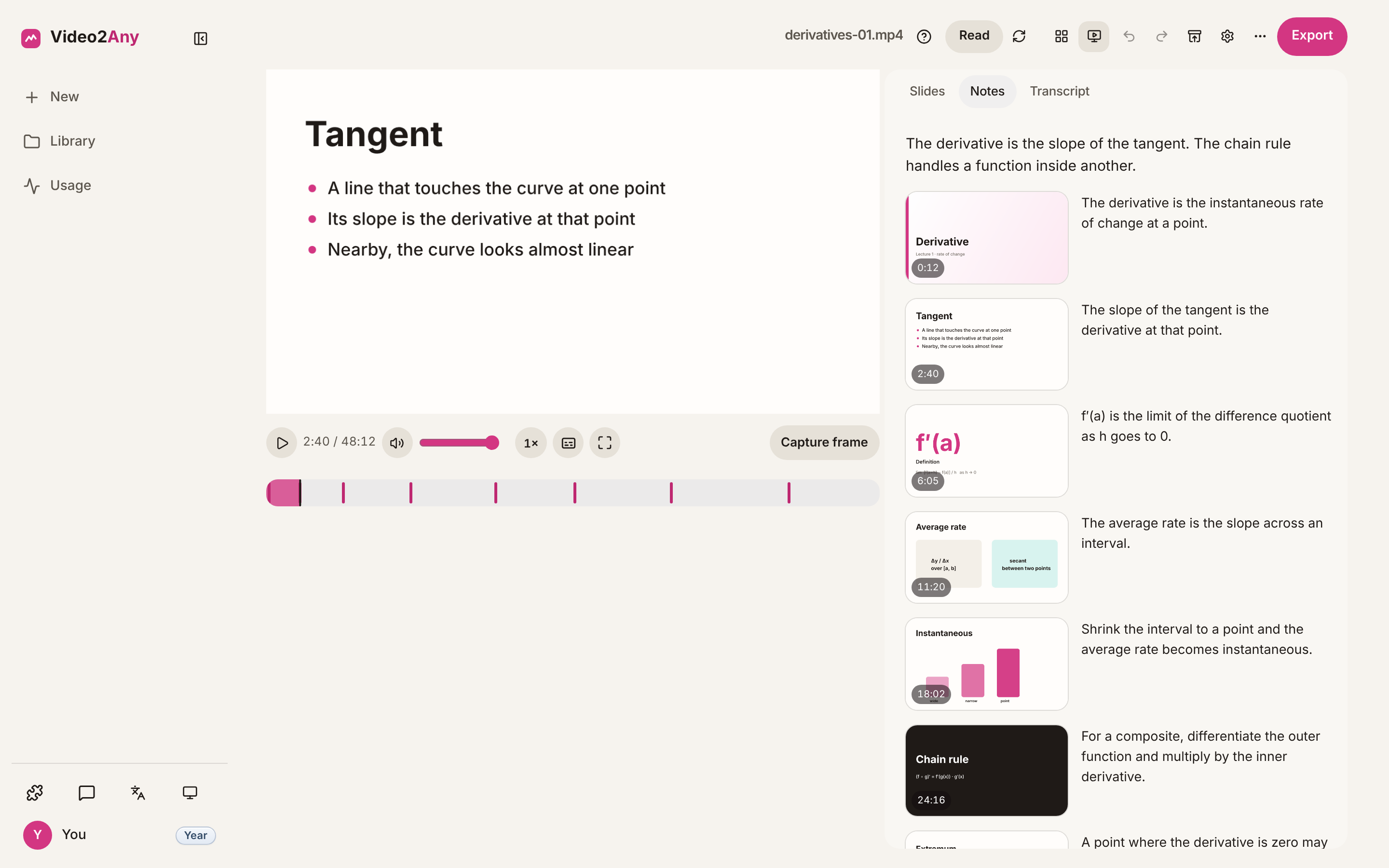
Not every recording needs a full handout. If the words are enough, stop at a transcript. When you later want notes, Upgrade to notes continues the same job and charges only the difference. You do not start over; you deepen what you already have.
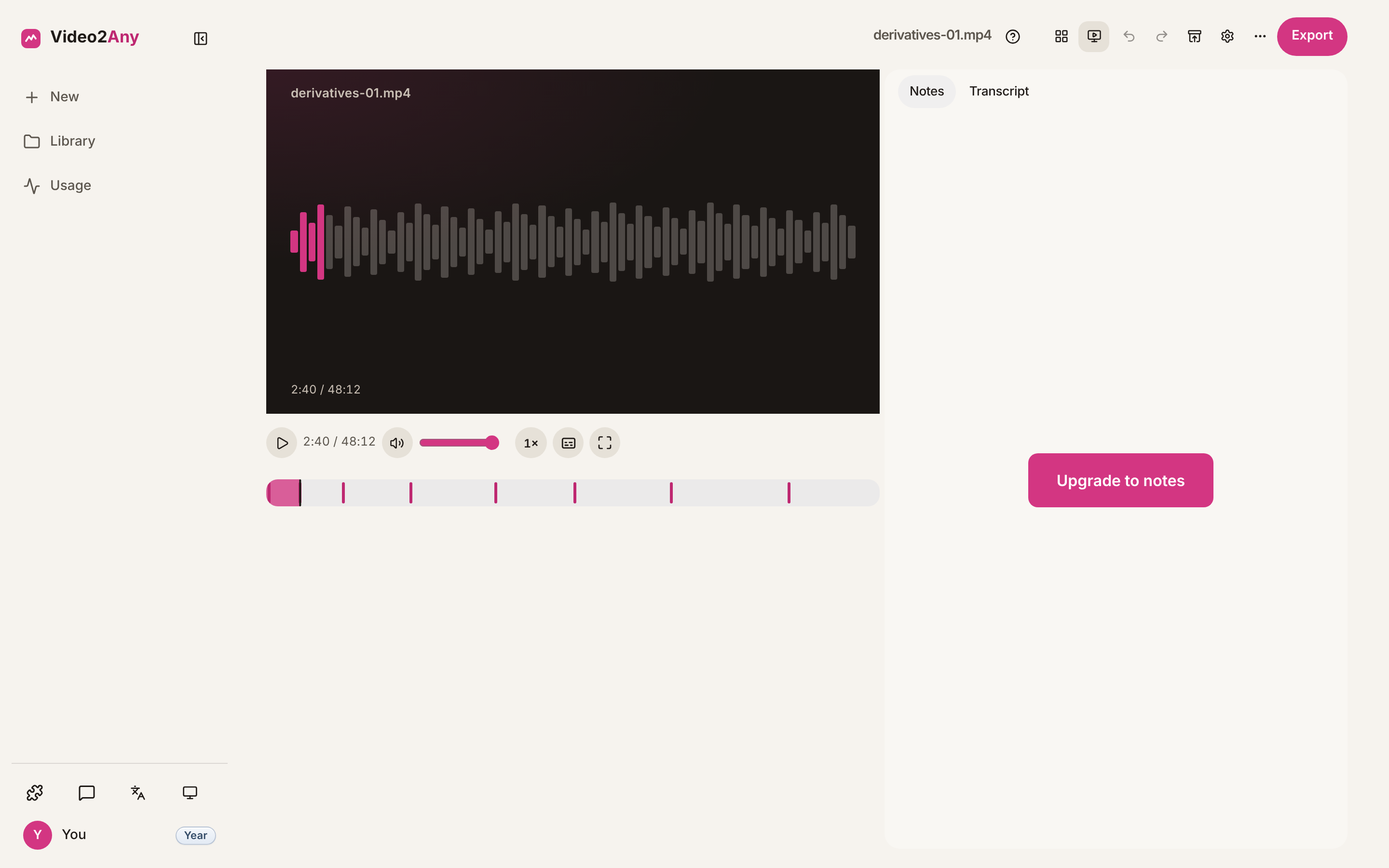
Some recordings never had pages — a podcast, an interview, a voice memo. Drop the audio in, or start from the podcast page, and you still get a transcript and notes from the spoken thread alone.
That is the “any” in practice: the same recording, as much or as little as you need.
A handout you can enter before it finishes
Notes take time on a long talk. While they are being written, the handout grows chapter by chapter in front of you. You can skim and read before the last section arrives, instead of waiting on a blank panel until everything is done.
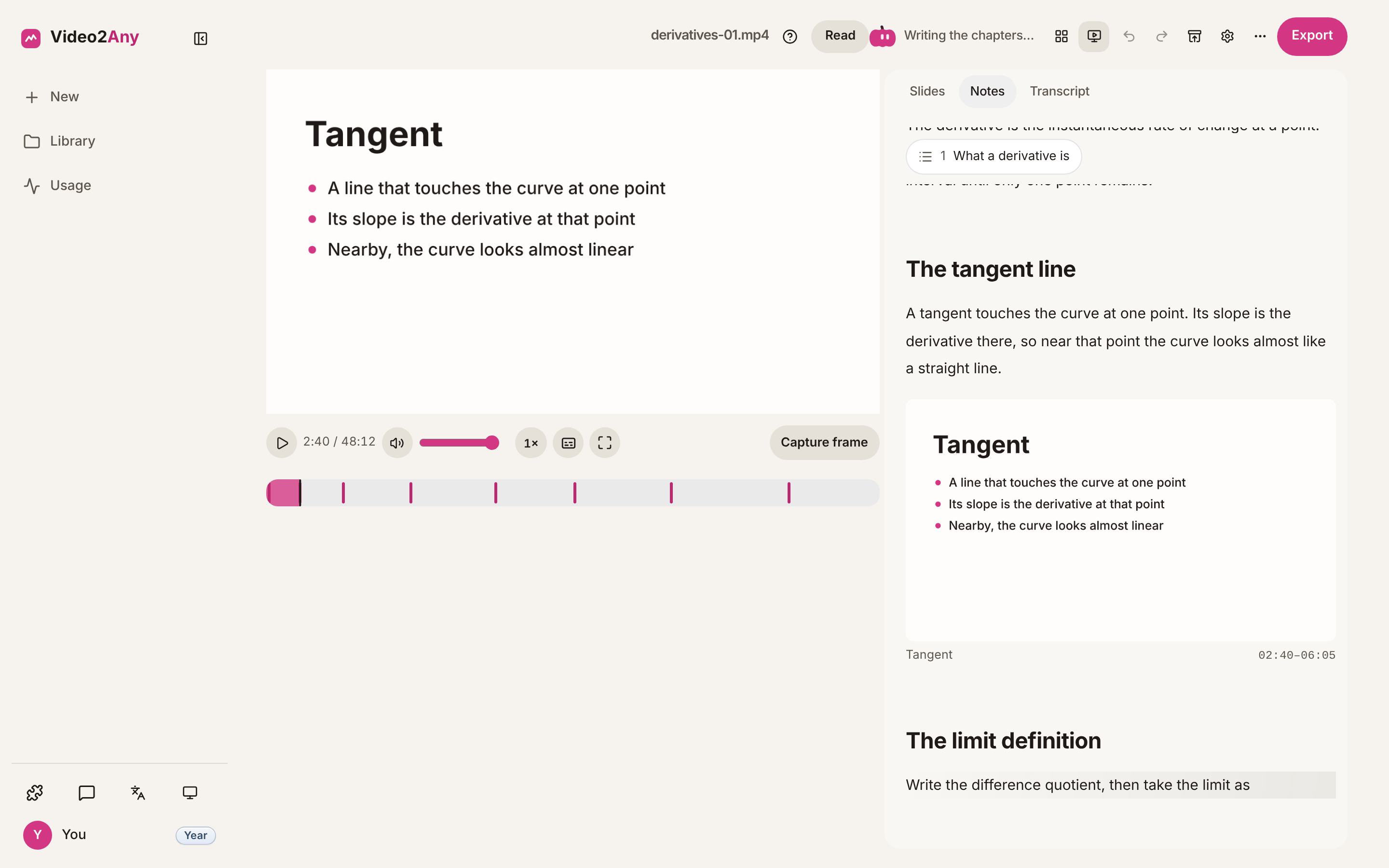
The thread of the lecture stays with you while the rest catches up — another way of getting useful output sooner, then letting it complete.
Still listening, still tuning
Video2Any keeps listening. Streaming notes, a transcript you can stop at, one export for what you have, and notes from audio alone — those came from what people asked for. We keep improving how the editor feels and how quickly the work finishes.
For slides, your video never leaves your device. A long recording — about 92 minutes — turns into pages in under a minute (about 52 seconds on our timing). Along the way we miss very few slides.
We are not done. Speed and accuracy stay on the table every week.
Whatever you need to take home
“Video to any” ends with a file you can keep. When you leave, export what you already have: the deck as a PowerPoint file of slide images, a PDF, or individual images; the notes as Markdown, Word, or PDF; the transcript as .txt or .srt; or one zip with the set together. The exported notes match the handout on screen.
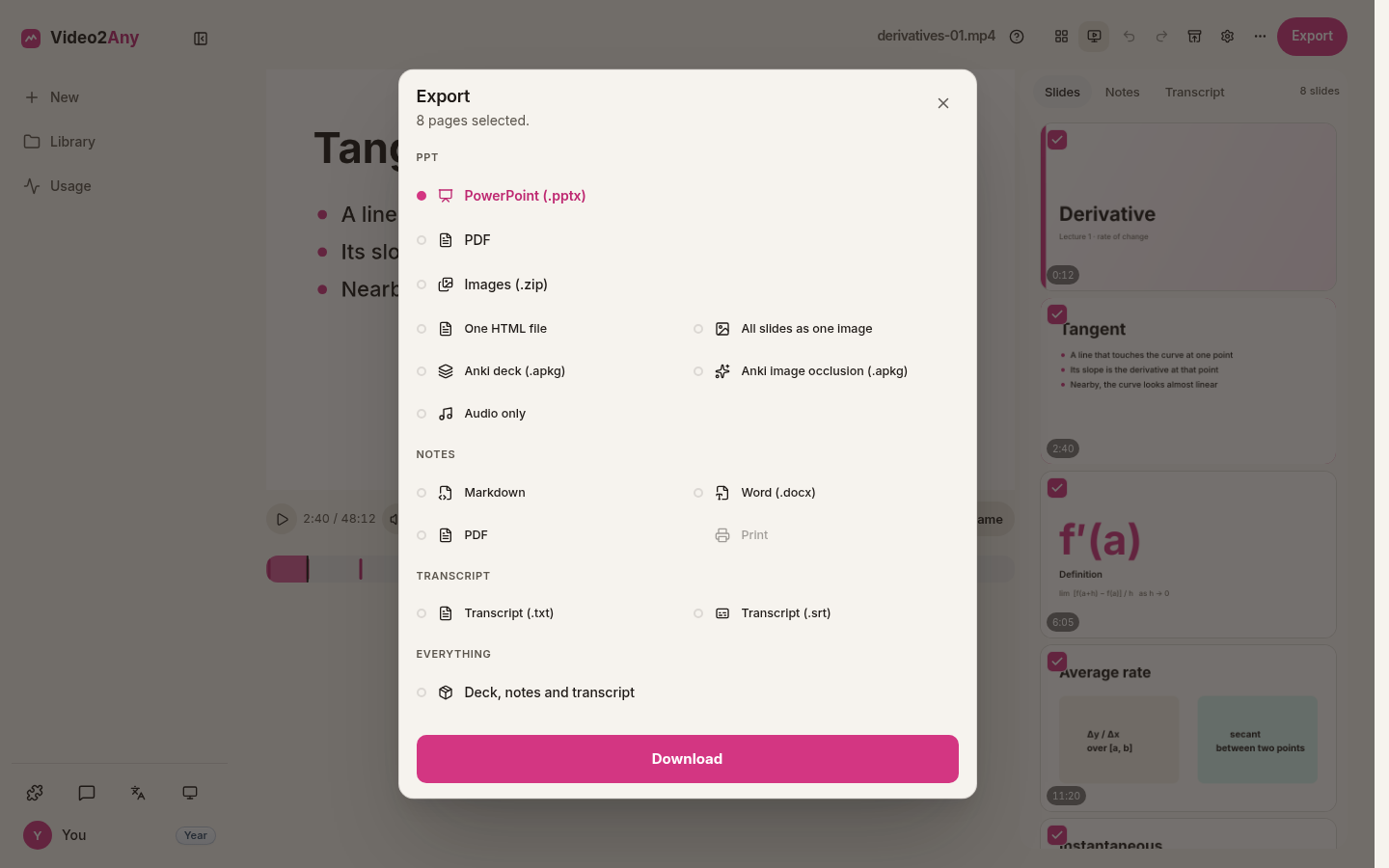
Slides alone, words alone, the full set — whichever combination the recording earned for you.
What's next
A new Video2Any browser extension is on the way. It puts Video2Any in the browser side panel, working on the video you are already watching — slides, notes, and a transcript, without downloading the file first.
Questions
Is the video uploaded to get slides?
No. For slide extraction, the video and the pages stay in your browser. A transcript and notes are different: they need the audio on our side, and notes also use the page images — the privacy page describes that path.
Do I have to get notes if I only want a transcript?
No. Stop at a transcript. Upgrade to notes later if you want the handout; you pay the difference on the same job.
Do I need to re-run an old deck to use this?
No. Decks you already extracted open as before. Notes and a transcript are something you ask for when you want them.
Open the editorHow notes use your audio and pagesPodcast without slides